Home / What we check / Ping Check
Ping check
Ping Check
Verify availability of a server or device at the basic network level and measure latency and packet loss.
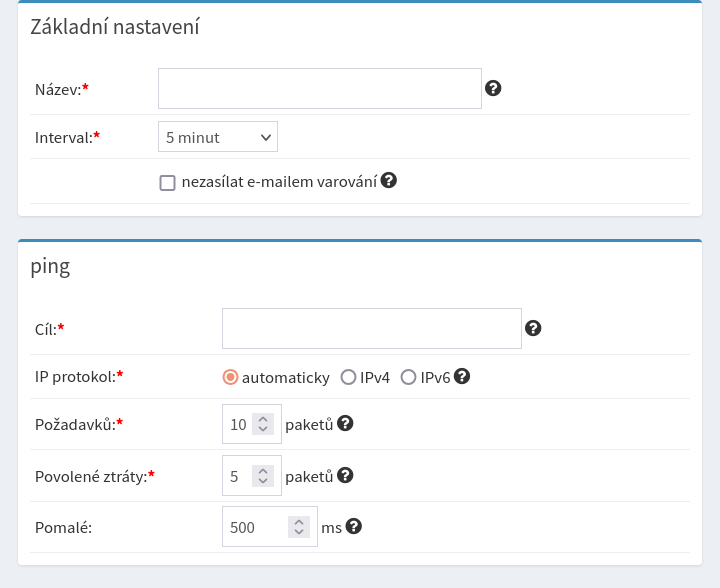
What does the Ping check do?
It verifies the availability of your server or device at the basic network level. It measures response time (latency) and watches for packet loss that can signal connectivity or performance issues.
Why monitor with Ping?
A simple yet effective way to ensure basic availability of a server or network and quickly diagnose problems.
- Detects connectivity outages.
- Identifies latency problems that slow down a site or app.
- Watches network connection quality in real time.
What do the individual fields mean and why do they matter?
5 fields1
Target
What it meansAddress of the server, device or domain to monitor.
Why it mattersDefines the specific device or server whose availability is watched.
2
IP protocol: IPv4 / IPv6
What it meansIP address type for the ping (IPv4 or IPv6).
Why it mattersVerifies availability on both protocols for compatibility.
3
Requests: packets
What it meansNumber of ICMP packets sent per test.
Why it mattersMore packets allow a more accurate measurement.
4
Allowed loss: packets
What it meansMaximum allowed number of lost packets.
Why it mattersIdentifies connectivity problems or congestion.
5
Slow (ms)
What it meansThreshold at which the response is considered too slow.
Why it mattersWatches degraded performance affecting the user experience.
Other checks we can run for you
Give your services a watchdog. For free.
Creating an account and your first check takes under 60 seconds.
Start monitoring free